
How to transmit CAN data over 4G ?

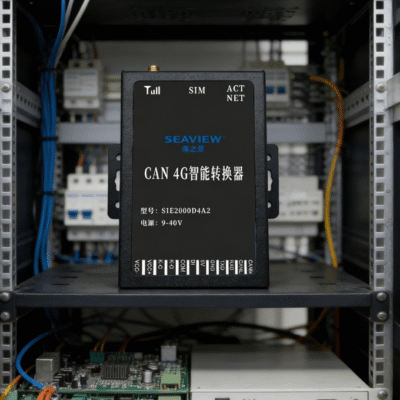
Transmitting Controller Area Network (CAN) data over long distances was once a major engineering challenge. Traditional CAN bus systems are physically limited by cable length and signal degradation. Modern industrial IoT solutions now utilize cellular networks to bridge this geographical gap. To understand how to transmit CAN data over 4G, you must use an industrial 4G Data Terminal Unit (DTU).
The process involves capturing local CAN frames and encapsulating them into cellular data packets. These packets travel across the 4G LTE network to a central server or cloud platform. This method allows for real-time monitoring of vehicles and industrial machinery from any location. High-speed 4G connectivity ensures that latency remains low enough for most diagnostic applications.
You must choose hardware that supports the CAN 2.0A and 2.0B standards. The 4G gateway acts as a bridge, converting serial or CAN data into TCP/UDP streams. This setup eliminates the need for expensive physical wiring across large industrial sites. It provides a scalable way to manage distributed assets through a single dashboard.
Why Remote CAN Communication Requires 4G Technology
The CAN bus protocol is designed for short-range, high-reliability communication. Most automotive and industrial applications rely on it for internal system coordination. However, these systems often need to report data to remote management centers. Standard CAN wiring cannot span kilometers without significant signal loss and interference.
Overcoming Physical Distance Barriers
A standard CAN network at 1 Mbps is limited to roughly 40 meters. Extending this to several kilometers requires complex repeaters or fiber optics. By using 4G networks, the transmission distance becomes virtually unlimited. You can monitor equipment in different cities using existing cellular infrastructure.
Enhancing Data Accessibility for Cloud Analytics
Modern industries rely on Big Data to optimize machine performance and maintenance. 4G gateways allow CAN data to flow directly into cloud databases. This connectivity enables predictive maintenance by analyzing real-time error frames. Engineers can receive instant alerts on their mobile devices when parameters exceed safety limits.
Technical Process of Transmitting CAN Data Over 4G
Understanding the technical workflow is essential for a successful deployment. The transmission involves several layers of data processing and networking protocols. The 4G DTU handles the heavy lifting of protocol conversion and network management. This ensures that the original CAN message arrives at the destination intact.
Hardware Interface and Signal Capture
The first step is connecting the CAN high and CAN low wires. You must connect these to the 4G terminal’s dedicated CAN port. The device then listens to the bus traffic at a pre-configured baud rate. Most industrial terminals support rates from 5 kbps up to 1000 kbps.
Protocol Encapsulation and Transmission Modes
Once a frame is captured, the DTU must package it for the internet. Transparent transmission is the most common method used in these applications. The device wraps the CAN frame into a TCP or UDP packet. It then sends this packet through the 4G LTE network to a fixed IP.
- Capture the 11-bit or 29-bit CAN identifier and data payload.
- Add a timestamp or device ID to the data packet if required.
- Establish a persistent TCP connection with the remote server.
- Transmit the encapsulated packet via the 4G cellular link.
- Unpack the data at the server for analysis or storage.
- Send acknowledgment or control commands back to the CAN bus.
Key Hardware Requirements for 4G CAN Transmission
Not all cellular modems can handle the rigors of industrial CAN bus environments. You must look for specific technical specifications to ensure long-term reliability. Industrial environments often face electrical noise, temperature swings, and vibration. The chosen 4G DTU must be built to withstand these harsh conditions.
Industrial-Grade Stability and Electrical Protection
Reliable hardware should feature a wide input voltage range, typically 9V to 36V DC. This allows the device to run on various industrial power supplies or batteries. Look for built-in ESD protection and surge protection for the CAN interface. These features prevent damage from high-voltage spikes common in automotive systems.
High-Performance Processing and Memory
The gateway needs enough processing power to handle high bus loads without dropping frames. A high-speed ARM processor is usually required for efficient data packetization. Onboard memory buffers are also critical for handling temporary 4G network outages. The device should store data locally until the cellular connection is restored.
- Supported Protocols: CAN 2.0A, CAN 2.0B, and Modbus RTU.
- Cellular Frequency: Multi-band LTE-FDD and LTE-TDD support.
- Operating Temperature: -40°C to +85°C for extreme environments.
- Data Latency: Average 4G latency between 20ms and 50ms.
- Mounting Options: DIN rail or wall mount for easy installation.
Configuration Steps for a 4G CAN Gateway
Setting up the system requires precise configuration of both network and CAN parameters. Most industrial gateways provide a serial or web-based configuration interface. Correct settings are vital for ensuring the 4G link remains stable under heavy traffic. You must also ensure the server is ready to receive incoming socket connections.
Configuring Network and Server Parameters
You must first enter the APN (Access Point Name) for your SIM card. This allows the 4G module to register on the cellular network. Next, configure the destination IP address and the communication port. Choosing TCP mode ensures that no data packets are lost during transmission.
Tuning CAN Port Settings
The gateway’s CAN port must match the baud rate of your existing bus. If the rates do not match, the device will generate error frames. You must also decide if you want to filter specific CAN IDs. Filtering reduces the amount of 4G data used by excluding unnecessary messages.
- Connect the device to a PC using a configuration cable.
- Set the CAN baud rate to match your sensor or vehicle.
- Enter the server’s public IP address and target port.
- Select the desired transmission protocol, such as MQTT or TCP.
- Save the settings and restart the 4G industrial terminal.
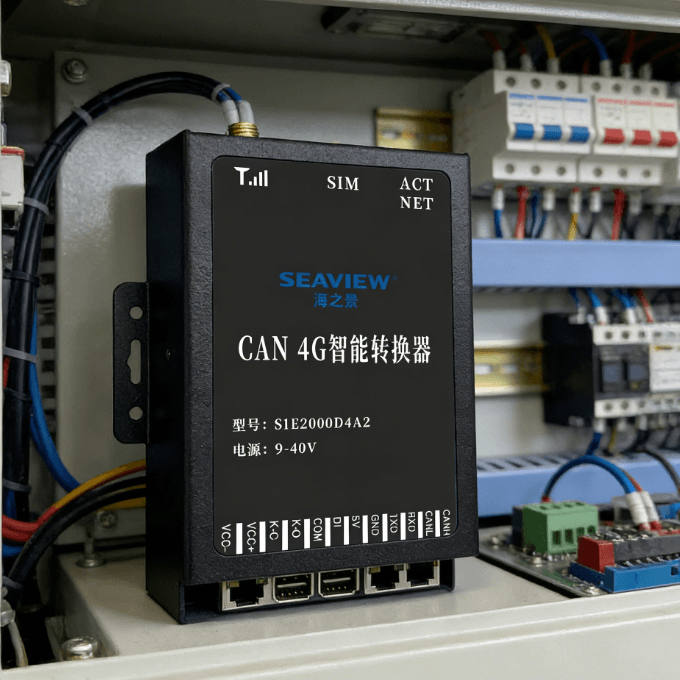
- Verify the connection status via the onboard LED indicators.
How to Select the Right 4G CAN DTU
Choosing the right equipment is the foundation of a reliable remote monitoring system. You must evaluate if the device supports the specific protocols used in your industry. For example, some applications require Modbus RTU conversion for compatibility with older PLCs. A versatile device can simplify your system architecture significantly.
Stability is the most important judgment factor for industrial applications. You should look for units that offer automatic reconnection and “heartbeat” packets. These features ensure the device stays online even during long periods of inactivity. A hardware watchdog is also essential to reset the unit if it hangs.
When assessing a 4G DTU, consider the physical build quality and port availability. Metal housings offer better heat dissipation and electromagnetic shielding than plastic ones. If you need to connect multiple types of sensors, look for units with RS485 ports. This allows you to collect various data types through a single 4G gateway.
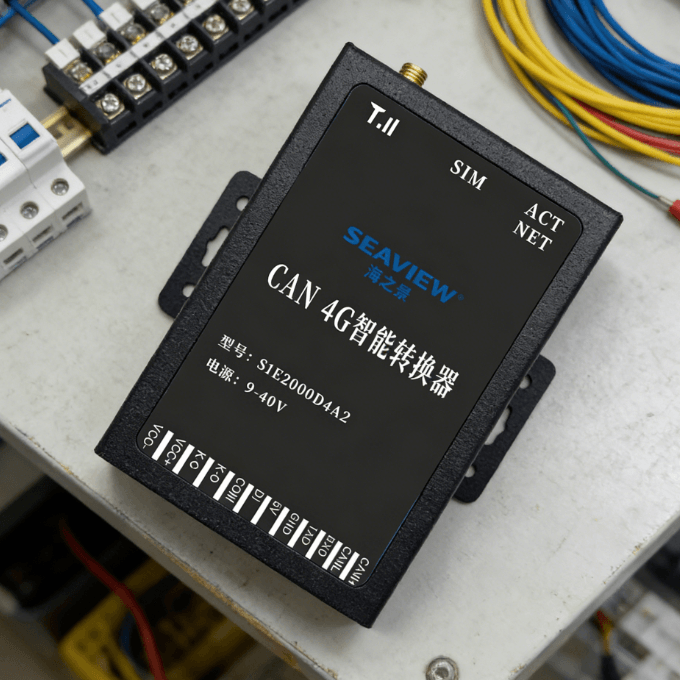
You can find specialized solutions like the 4G Industrial Wireless Data Terminal DTU CAN Version for these needs. Such devices are designed specifically for the transition from local bus to cloud. They offer the necessary ruggedness and protocol support for professional deployments. Selecting a proven industrial terminal reduces the risk of system failure in the field.
Summary
In conclusion, knowing how to transmit CAN data over 4G empowers you to monitor assets globally. The process relies on an industrial gateway to bridge local CAN frames with cellular LTE networks. By following standard configuration steps and choosing rugged hardware, you can achieve high reliability. This technology is essential for modern fleet management and industrial automation.
FAQ
1. What is the maximum distance for transmitting CAN data over 4G?
Since the data travels via the cellular network and the internet, there is no physical distance limit. You can transmit data from one continent to another as long as 4G coverage exists. The only limiting factor is the network latency and the stability of the internet connection.
2. Can I send control commands back to the CAN bus via 4G?
Yes, most 4G CAN DTUs support bi-directional communication. You can send commands from your server to the 4G terminal. The terminal then converts the command back into a CAN frame and injects it into the local bus. This is useful for remote configuration or system resets.
3. How much 4G data does a CAN bus monitoring system use?
Data usage depends on the number of frames sent per second and the packet header size. On average, a system sending data every few seconds might use 50MB to 200MB per month. Using data filtering techniques can significantly reduce monthly cellular costs by only sending essential IDs.
4. Is the transmission of CAN data over 4G secure?
Security depends on the protocols used for transmission. You should use gateways that support VPN tunnels or encrypted MQTT (TLS/SSL). This prevents unauthorized parties from intercepting or tampering with your industrial data during transit.
5. Do I need a special SIM card for an industrial 4G DTU?
While standard consumer SIM cards work, industrial M2M (Machine-to-Machine) SIMs are recommended. M2M SIMs often provide better roaming agreements and dedicated management platforms. They are also built to handle the higher temperature ranges found in industrial environments.