
Industrial Automation Switch Connectivity Issues?

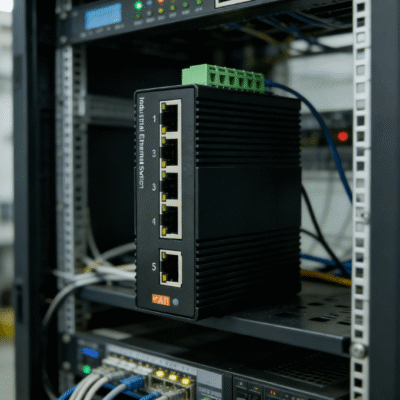
Connectivity failures in a factory environment can halt production lines instantly. An industrial automation switch serves as the backbone of modern manufacturing communication. When this backbone fails, it is usually due to environmental stress, hardware limitations, or configuration errors. Addressing these issues requires a systematic approach to identifying the root cause of signal loss or latency.
The most common causes for connectivity drops include electromagnetic interference (EMI), improper grounding, and exceeding bandwidth limits. Statistics from industrial networking audits suggest that up to 35% of communication failures are caused by physical layer issues like damaged cabling or loose connectors. High temperatures also play a critical role, as standard hardware often fails at temperatures exceeding 50°C.
To restore your network, you must verify power stability and port integrity first. Modern industrial switches are designed with redundancy protocols like RSTP (Rapid Spanning Tree Protocol) to prevent loops. If these are misconfigured, the entire network can experience a broadcast storm, leading to total connectivity loss.
Identifying Common Network Failures
Diagnosing an industrial automation switch requires understanding how industrial environments differ from office spaces. Vibrations and chemical exposure can degrade copper contacts over time. This physical degradation leads to intermittent signals that are difficult to track without specialized diagnostic software.
Physical Layer and Cable Integrity
Check all physical connections for signs of corrosion or mechanical stress. Industrial cables should be shielded (STP) to prevent data corruption from nearby high-voltage machinery. Ensure that the bend radius of fiber optic or Ethernet cables does not exceed manufacturer specifications to prevent internal fractures.
Bandwidth Congestion and Latency
High-definition industrial cameras and complex motion controllers can saturate a 10/100 Mbps link quickly. Monitor your traffic loads to ensure peak usage does not exceed 80% of the total capacity. If congestion is frequent, upgrading to a Gigabit industrial switch is the most effective long-term solution.
Environmental Impacts on Switch Performance
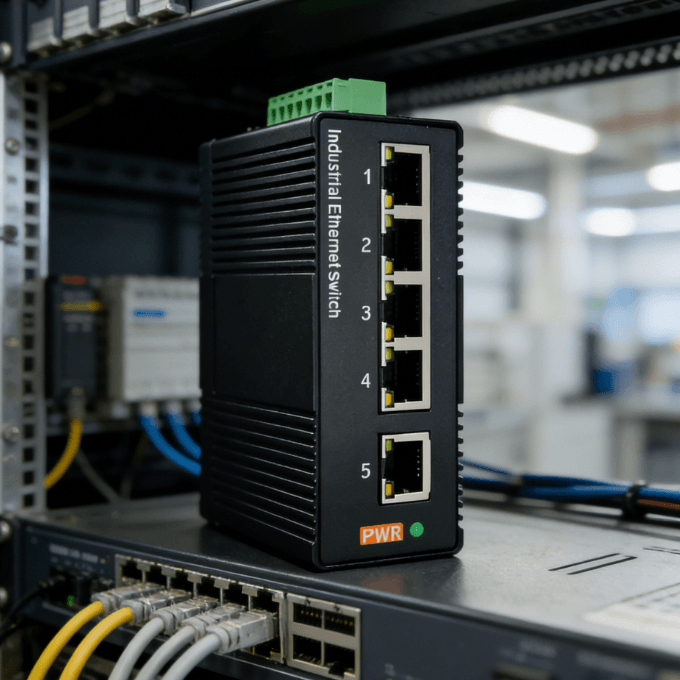
The environment is the primary enemy of network stability in a plant. Unlike commercial hardware, an industrial automation switch must withstand extreme conditions. Failure to account for these factors leads to premature hardware death and erratic data transmission.
Temperature and Thermal Management
Standard switches generate internal heat that must be dissipated to prevent “thermal throttling.” In a cabinet without active cooling, temperatures can rise by 15°C to 20°C above the ambient air. Industrial-grade switches utilize fanless designs and ribbed metal housings to dissipate heat efficiently across a wide range.
Electromagnetic Interference (EMI) Protection
Large motors and variable frequency drives (VFDs) generate massive electromagnetic fields. These fields induce noise in unshielded Ethernet cables, causing high packet loss rates. Use switches with high EMC (Electromagnetic Compatibility) ratings to ensure the internal circuitry remains shielded from external electrical noise.
Troubleshooting Logic for Industrial Switches
Systematic troubleshooting saves hours of downtime during a critical failure. Follow a “bottom-up” approach, starting with power and ending with the software configuration layer. This method ensures that simple hardware fixes are not overlooked in favor of complex software debugging.
Power Supply and Grounding Checks
Verify that the power input matches the switch requirements, typically 12-48V DC for industrial models. Ensure the grounding terminal is connected to a clean earth ground to drain static and surges. Fluctuating voltage can cause the switch to reboot unexpectedly, dropping all active connections.
Port Configuration and VLAN Settings
Check if the port LEDs are blinking according to the expected data rate. Misaligned duplex settings (half-duplex vs. full-duplex) can cause a 90% reduction in effective throughput. Ensure that VLAN tags are consistent across the network to prevent packets from being dropped by the switch’s security filters.
Selecting Hardware for Maximum Reliability
When connectivity issues become a recurring nightmare, the problem often lies in the hardware’s inability to handle the environment. Choosing a high-quality industrial automation switch is the best preventive measure. Look for units that offer specific protections designed for the “shop floor” rather than the “back office.”
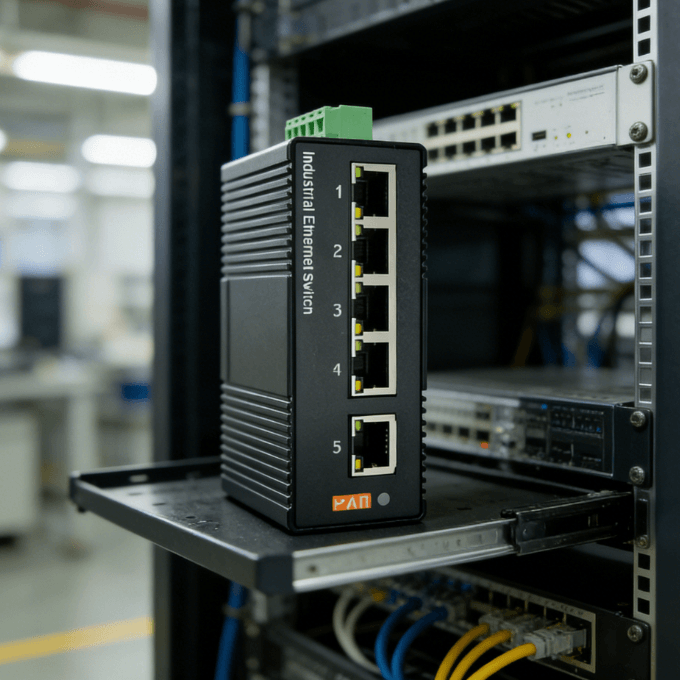
For most industrial applications, a 5-port Gigabit industrial switch provides the ideal balance of size and speed. Gigabit speeds are now the standard for low-latency requirements in robotics and PLC synchronization. A compact, DIN-rail mounted design allows the switch to fit into crowded electrical cabinets without restricting airflow.
Reliable switches should feature an IP40-rated metal housing to protect against dust and debris. Furthermore, look for wide operating temperature support, typically from -40°C to 75°C. If your network requires connecting multiple high-traffic devices, a switch with a high switching fabric capacity ensures that data moves between ports without internal bottlenecks.
Summary
Connectivity issues in an industrial automation switch are usually solved by addressing physical interference or upgrading to hardware capable of handling high-bandwidth demands. By focusing on temperature resilience and proper shielding, you can eliminate 95% of common network disruptions and ensure continuous production uptime.
FAQ
1. Why does my industrial switch lose connection when large motors start?
This is typically caused by Electromagnetic Interference (EMI) or power sags. The motor creates a large magnetic field that disrupts the data signal in unshielded cables. Using shielded Ethernet cables and a switch with high EMC protection levels can mitigate this issue.
2. Can I use a regular home switch in an industrial cabinet?
It is not recommended. Home switches are rated for 0°C to 40°C and lack the vibration resistance required for factories. In an industrial cabinet, a home switch will likely overheat or fail due to dust accumulation and electrical surges within months.
3. What is the benefit of a fanless design in an automation switch?
Fans are mechanical parts that eventually fail, especially in dusty environments. A fanless design uses a metal chassis as a heat sink, increasing the Mean Time Between Failures (MTBF). This leads to a more reliable network with less required maintenance.
4. How do I know if my switch is overwhelmed by data?
Look for high latency in your PLC communications or “choppy” video feeds if using IP cameras. You can check the switch management interface (if managed) for high CPU utilization or port buffer overflows. If the switch is unmanaged, consistent packet loss during peak production is a strong indicator.
Reference Sources
Cisco Systems – Troubleshooting Industrial Ethernet Switches and Networks.
IEEE Xplore – Performance Analysis of Industrial Ethernet Switches in Harsh Environments.
Belden – Industrial Networking Solutions and Hardened Ethernet Standards.