
Why Rugged Tablets Outperform Standard Tablets in Business | TCO Analysis

Why Businesses Choose Rugged Tablets Over Standard Tablets
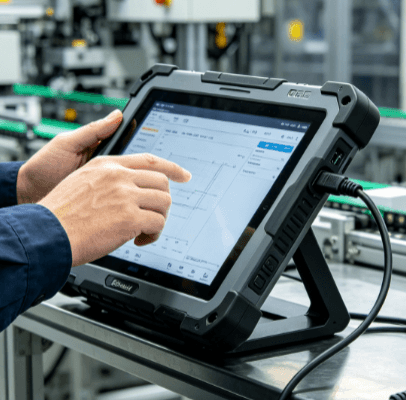
In a climate-controlled office, a standard consumer tablet is a marvel of engineering. However, the moment that same device enters a fulfillment center, a construction site, or a specialized manufacturing floor, its vulnerabilities become a liability. For operations managers and B2B procurement specialists, the choice between a standard “pro” tablet and a purpose-built rugged tablet is not just about physical toughness; it is a strategic decision regarding operational continuity and long-term financial efficiency.
Standard tablets are designed for aesthetic appeal, portability, and short life cycles. In contrast, a rugged tablet for business is engineered to withstand environments where dust, moisture, extreme temperatures, and accidental drops are daily occurrences.
The Engineering Gap: Beyond a Protective Case
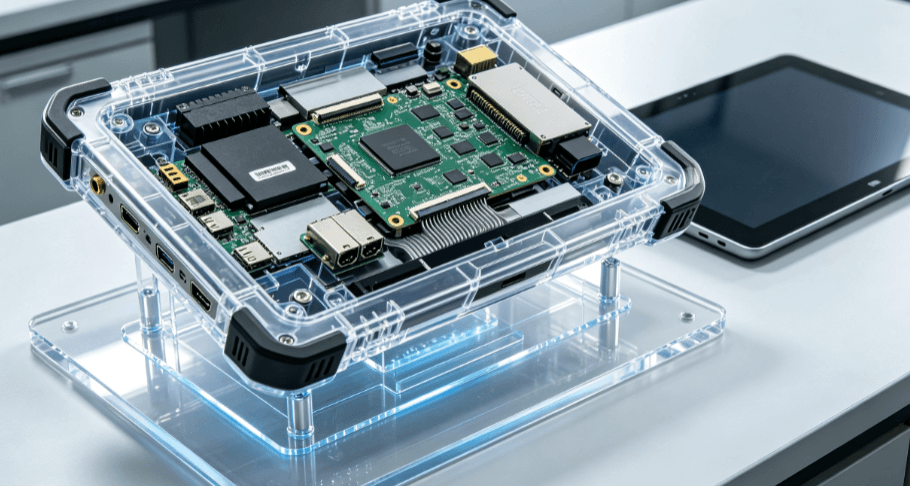
It is a common misconception that a consumer tablet housed in a thick plastic case is equivalent to a rugged device. The differences are internal and structural.
Standard tablets typically utilize “passive cooling” and integrated components optimized for thinness. Under heavy industrial workloads or high ambient temperatures, these devices suffer from thermal throttling—slowing down the processor to protect the hardware. A rugged industrial tablet, such as those found in the Industrial Tablet PC product lineup, is designed with advanced thermal management. This ensures consistent CPU performance even in non-conditioned environments.
Furthermore, rugged tablets are built from the inside out to handle vibration and shock. While a standard tablet’s internal ribbon cables and soldered components may loosen after months of being mounted to a vibrating forklift, a rugged device utilizes reinforced chassis and dampened components to maintain electrical integrity over years of high-vibration use.
Tactical Performance in Extreme Environments
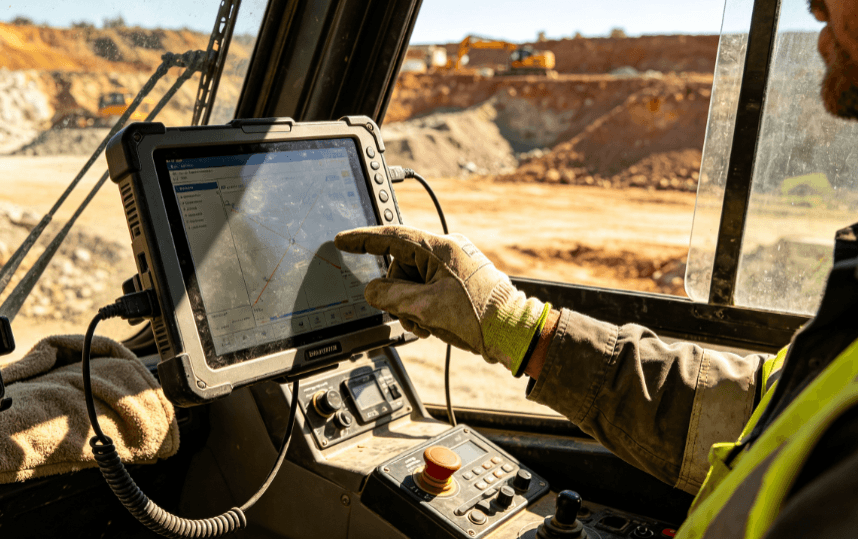
Field operations require hardware that adapts to the environment, not the other way around. Several technical factors differentiate the utility of a rugged tablet:
- Display Technology: Most consumer tablets reach 400–500 nits of brightness, which becomes illegible under direct sunlight. Professional rugged tablets often feature 800–1000+ nit “sunlight-readable” displays with optical bonding to reduce glare.
- Gloved and Wet Touch: Capacitive screens on standard phones or tablets often fail when exposed to raindrops or when the user is wearing safety gloves. Industrial-grade panels utilize specialized touch controllers that can distinguish between a deliberate gloved press and a stray water droplet.
- Ingress Protection (IP Ratings): While some flagship consumer phones are water-resistant, they rarely offer protection against fine particulate matter (industrial dust) or high-pressure jets. An IP65 or IP67 rating is the baseline for industrial tablets, ensuring the internals remain hermetically sealed against contaminants.
Data Capture and I/O Versatility
For a logistics or manufacturing business, a tablet is more than a screen; it is a data hub. This is where standard tablets often fail the “Business Case” test.
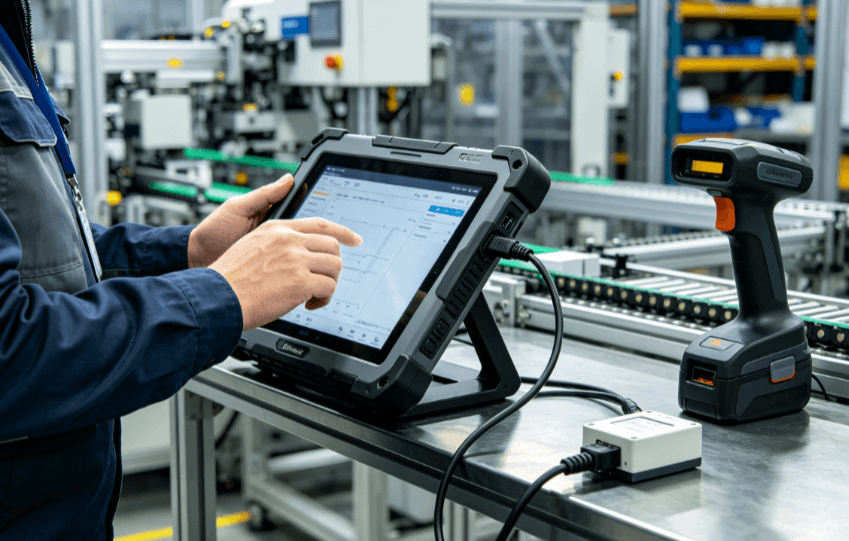
Standard tablets rely on a single USB-C or Lightning port. If a business needs to connect a legacy PLC via RS232, an Ethernet cable for secure local networking, or a dedicated 1D/2D barcode scanner, they must rely on fragile external dongles. These dongles are prone to breaking and create a “point of failure” in the workflow.
Rugged tablets for business prioritize modular I/O. It is common to find configurations that include:
- Integrated Zebra or Honeywell scan engines for high-speed inventory tracking.
- Dedicated RJ45 Gigabit Ethernet ports for field diagnostics.
- Native DB9 (RS232/RS485) serial ports for industrial automation.
- RFID/NFC readers for secure personnel authentication.
By integrating these features into the chassis, businesses reduce the number of peripheral devices employees must carry and charge, directly increasing “wrench time” and operational uptime.
Comparing the Core Specifications
| Feature | Standard Consumer Tablet | Rugged Business Tablet |
| Drop Protection | 0–2 feet (Fragile glass) | 4–6 feet (MIL-STD-810G/H) |
| Battery Life | Fixed; 8–10 hours | Hot-swappable; 24/7 operation |
| I/O Ports | Single USB-C/Lightning | RS232, RJ45, USB-A, Pogo Pins |
| Brightness | 300–500 Nits | 800–1200 Nits (Sunlight Readable) |
| Lifecycle | 12–18 months (Discontinued fast) | 3–5 years (Long-term availability) |
| Operating Temp | 32°F to 95°F (0°C to 35°C) | -4°F to 140°F (-20°C to 60°C) |
The TCO Logic: Why “Cheaper” Costs More
Procurement departments often focus on the “Initial Purchase Price.” A standard tablet might cost $500, while a high-performance rugged tablet might cost $1,500. On paper, the consumer device looks like a 66% saving. However, the Total Cost of Ownership (TCO) usually reveals the opposite.
In industrial environments, consumer tablets have an annual failure rate often exceeding 30%. When a device fails, the cost is not just the $500 for a replacement. The true cost includes:
- Downstream Downtime: The worker is unproductive while the device is offline.
- IT Overhead: The time spent re-provisioning, enrolling, and shipping a new device.
- Data Loss: Potential loss of unsynced field data.
- Short Lifecycles: Consumer models are refreshed every year. If you deploy 100 tablets today, you may not be able to buy the exact same model or accessories 18 months from now, leading to a fragmented “fleet” that is difficult to manage.
Industrial tablets typically offer a 3-to-5-year lifecycle. This means the hardware platform remains stable, the accessories (docks, mounts, chargers) remain compatible, and the failure rate stays significantly lower (typically 2–4% annually).
Security and Software Longevity
Business-grade rugged tablets often run specialized versions of Windows 10/11 IoT Enterprise or Android Enterprise Recommended (AER). These versions allow IT managers to lock down the OS (Kiosk Mode), control update cycles, and ensure that a Windows update doesn’t accidentally disable a mission-critical custom application.
Standard tablets are subject to the manufacturer’s consumer-focused update schedule, which can lead to software incompatibilities that disrupt operations without warning.
Selecting the Right Hardware for Your Workflow
When evaluating a rugged tablet for your business, the environment dictates the specification.
- For Warehouse Management: Focus on integrated 2D scanners and Wi-Fi 6 roaming capabilities to ensure seamless connectivity between access points.
- For Field Service/Utilities: Prioritize 4G/5G LTE modules, dedicated GPS (GNSS), and high-capacity hot-swappable batteries.
- For Automotive/Diagnostics: Ensure the device features specialized ports like OBD-II compatibility or ruggedized USB connections.
The goal is to move away from the “disposable hardware” mindset and toward an “industrial tool” mindset. As seen in the varied product categories at industrial-tabletpc.com, the right tool is one that matches the specific rigors of the application—be it a waterproof panel for a food processing plant or a high-mobility handheld for a courier.
FAQ
Q: Can I just use a rugged case on a standard iPad or Samsung tablet?
A: A case protects against some impact and scratches, but it does not address internal vibration, thermal management, or sunlight readability. Furthermore, cases often block heat dissipation, causing consumer tablets to overheat faster in heavy-duty cycles.
Q: What does MIL-STD-810G actually mean?
A: It is a US Military Standard that tests equipment’s limits under various conditions, including low pressure, high/low temperatures, temperature shock, rain, humidity, sand and dust exposure, and vibration. A “MIL-STD” rated tablet has been verified to survive these specific stressors.
Q: Are rugged tablets significantly heavier than standard ones?
A: Due to internal reinforcement and larger batteries, they are generally heavier. However, many models feature ergonomic hand straps and shoulder harnesses designed to reduce operator fatigue during long shifts, which consumer tablets lack.
Q: How long is the typical lead time for a fleet of rugged tablets?
A: For standard configurations, lead times range from 2 to 4 weeks. For custom OEM projects (specialized ports or branding), it can range from 8 to 12 weeks depending on the complexity of the hardware modifications.
Reference Sources
- MIL-STD-810H Test Method Standard: Department of Defense Test Method Standard for Environmental Engineering Considerations.
- IEC 60529: Degrees of protection provided by enclosures (IP Code).
- VDC Research: Total Cost of Ownership Models for Mobile Computing in Enterprise Solutions.
- IEEE Xplore: Thermal management in ruggedized mobile devices for industrial IoT applications.
- Zebra Technologies / Honeywell Sensing: Whitepapers on Barcode Integration and Scanning Efficiency in Industrial Environments.