
Industrial Tablet Screen Size Guide: Choosing 8, 10, or 12-Inch

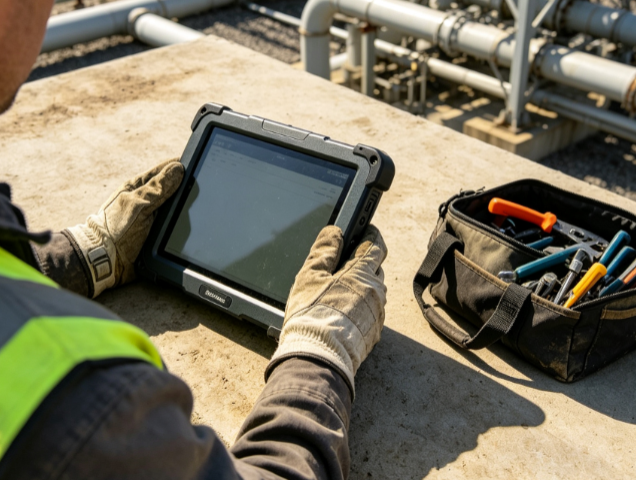
Industrial Tablet Screen Size Guide: 8 Inch, 10 Inch, or 12 Inch?
Selecting the right industrial tablet screen size is a decision that moves far beyond personal preference. In a manufacturing or field service environment, the display dimensions directly impact operator fatigue, data accuracy, and hardware mounting feasibility. While consumer tablets prioritize aesthetics and thinness, industrial displays are engineered for functional utility within specific workflows.
The “ideal” size depends on the intersection of software interface requirements and the physical constraints of the workspace. A technician climbing a wind turbine tower has vastly different needs than a warehouse supervisor managing a forklift fleet. This guide breaks down the technical and ergonomic considerations for the three most common industrial form factors: 8-inch, 10-inch, and 12-inch tablets.
Why Screen Size Matters in Industrial Environments
In a ruggedized context, screen size influences more than just visibility. It affects the total weight of the device, the battery life (due to backlight power consumption), and the thermal management capabilities of the chassis. Larger screens typically allow for larger internal heat sinks and batteries, but they also increase the “lever arm” effect when held, leading to quicker hand fatigue during long shifts.
Furthermore, industrial software—ranging from MES (Manufacturing Execution Systems) to complex SCADA interfaces—often requires specific pixel density and real estate to display critical KPIs without excessive scrolling. Choosing the wrong size can lead to input errors, especially when operators are wearing gloves or working in high-vibration environments.
The 8-Inch Industrial Tablet: Portability and One-Handed Operation
The 8-inch form factor is the standard for high-mobility roles. It is designed to bridge the gap between a handheld rugged PDA and a full-sized laptop.
Ergonomics and Portability
An 8-inch rugged tablet typically weighs between 600g and 900g. This weight allows for comfortable one-handed operation using a hand strap. For field engineers, utility workers, or inventory auditors who spend eight hours on their feet, the reduced weight prevents repetitive strain injuries.
Technical Suitability
- UI Design: Best suited for vertical-scroll applications, simple checklists, and barcode scanning interfaces.
- Optics: These devices often feature high PPI (pixels per inch), making text sharp despite the smaller physical area.
- Mounting: Ideal for small vehicle cabins or narrow cockpits where space is at a premium and a larger screen would obstruct the operator’s field of vision.
Common Applications
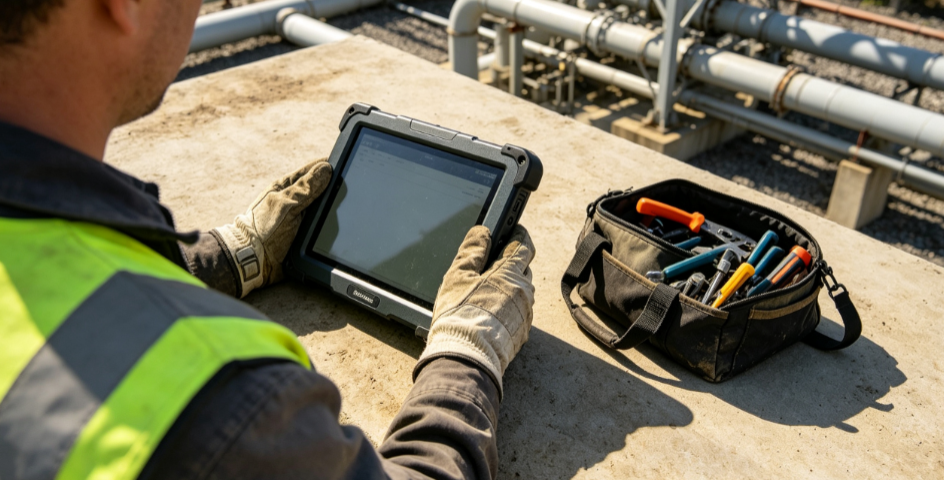
Technicians in the telecommunications or oil and gas sectors often prefer 8-inch models. These devices fit easily into tool bags and are less likely to be damaged during transport. If the primary task involves capturing photos of assets or scanning QR codes in tight spaces, the 8-inch size is the logical choice.
The 10-Inch Industrial Tablet: The Versatile “Goldilocks” Solution
The 10-inch (specifically the 10.1-inch widescreen) is the most popular size in the industrial market. It offers the most balanced compromise between display real estate and mobility.
The Mainstream Standard
Most industrial software developers optimize their interfaces for 10-inch displays. This size provides enough room for a full QWERTY soft-keyboard while still leaving space for data entry fields. It allows for “standard” aspect ratios (often 16:10 or 16:9) that match modern desktop applications.
Technical Suitability
- Readability: Provides enough space for split-screen views—common in logistics where a driver might need to see a map and a delivery manifest simultaneously.
- Ruggedness vs. Weight: At this size, manufacturers can integrate robust I/O ports (like native RS232 or RJ45) without making the device excessively bulky.
- Accessories: The 10-inch market has the widest range of docking stations, vehicle mounts, and keyboard attachments.
Common Applications
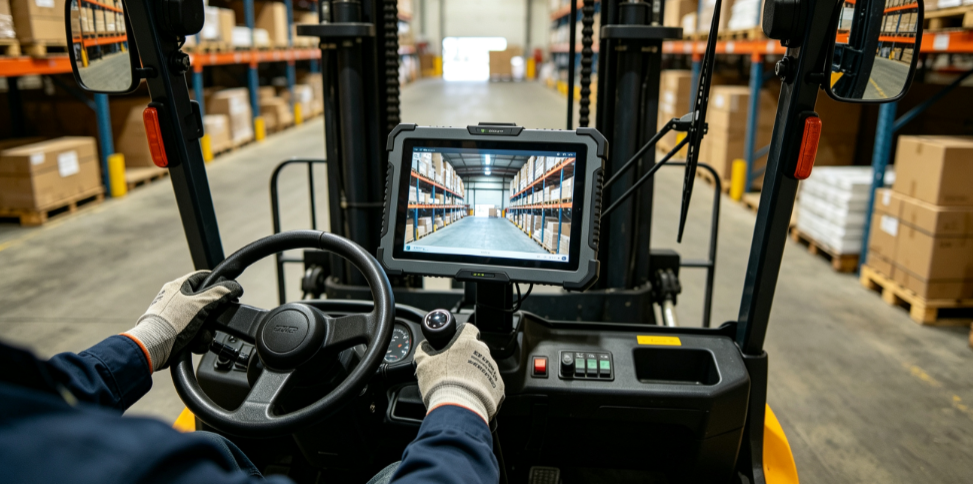
In warehousing, 10-inch tablets are frequently mounted to forklifts. They are large enough for a driver to read instructions from a distance of two to three feet. In manufacturing, they serve as mobile HMIs (Human Machine Interfaces) that can be docked at a station or carried by a floor supervisor.
The 12-Inch Industrial Tablet: Replacing the Rugged Laptop
When an application demands complex data visualization or the replacement of a traditional laptop, the 12-inch (or 12.2-inch) tablet is the superior option.
Maximum Visual Real Estate
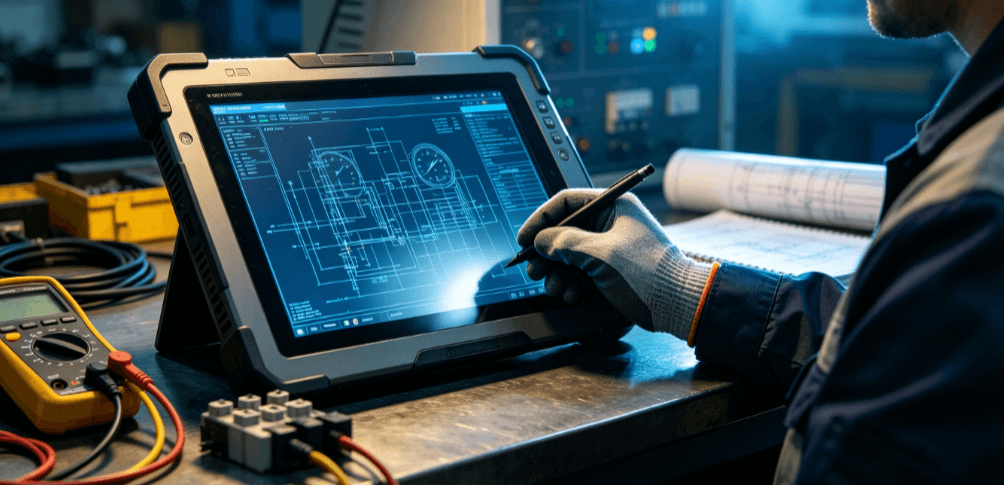
A 12-inch tablet provides approximately 40-50% more screen area than an 8-inch model. This is critical for engineers who need to view detailed CAD drawings, complex electrical schematics, or multi-panel dashboards.
Technical Suitability
- Input Precision: For tasks requiring high-precision touch or stylus input—such as marking up blueprints—the larger surface area reduces the need for constant zooming and panning.
- Internal Specs: 12-inch tablets often house more powerful Intel Core i5 or i7 processors. The larger surface area allows for better heat dissipation, enabling higher performance for local data processing.
- Power: These units usually feature hot-swappable dual-battery systems, essential for 24/7 mission-critical operations where the screen is constantly at maximum brightness (NITs).
Common Applications
The 12-inch size is dominant in high-end automotive diagnostics, military command and control, and emergency services (EMS). In these fields, the tablet often functions as a “fixed-mobile” hybrid, spending much of its time in a vehicle dock but being removed for intensive on-site data analysis.
Comparison Table: Screen Size Selection Logic
| Feature | 8-Inch Tablet | 10-Inch Tablet | 12-Inch Tablet |
| Primary Benefit | Maximum Portability | Versatility & Ecosystem | Visual Depth & Performance |
| Typical Weight | < 1.0 kg | 1.1 – 1.5 kg | 1.6 – 2.2 kg |
| Gloved Input | Challenging (small icons) | Good | Excellent |
| Mounting Context | Handheld / Small Cabin | Forklift / Cart | Fixed Station / Command Vehicle |
| Battery Life Focus | Efficiency | Balanced | High Capacity / Hot-Swap |
| UI Complexity | Single Column / Lists | Multi-window / Forms | Complex Dashboards / CAD |
Environmental Factors Beyond Physical Size
While diagonal inches are the primary metric, three technical factors must be considered alongside size to ensure the display is functional in the field:
- Nit Rating (Brightness): An 8-inch screen at 500 nits may be harder to read in direct sunlight than a 10-inch screen at 1000 nits. If the work is outdoors, brightness is as important as size.
- Resolution vs. Scaling: High resolution (e.g., 1920×1200) on a small 8-inch screen can make buttons too small for gloved fingers. Ensure your software can scale UI elements effectively for the chosen hardware.
- Aspect Ratio: 4:3 ratios (like an iPad) are better for document reading, while 16:10 or 16:9 ratios are better for modern software interfaces and video feeds from industrial cameras.
Choosing the Right Path for Your Operation
Selecting an industrial tablet size is a workflow-driven decision. If your workforce is constantly moving and performs lightweight data entry, the 8-inch model preserves agility. If you need a standard tool that can handle almost any industrial task from the warehouse to the factory floor, the 10-inch model is the safest investment. For specialized engineering, high-performance computing, or large-scale schematic viewing, the 12-inch model is the necessary choice.
For organizations looking to standardize their hardware, it is often recommended to test two sizes in the actual work environment. Factors like glare, mounting vibration, and glove-touch response can only be fully validated through field testing.
FAQ
Q: Does a larger screen size mean a shorter battery life?
A: Generally, yes, because the display backlight is the primary power consumer. However, 12-inch industrial tablets usually compensate for this with much larger battery capacities or dual-battery configurations that allow for “hot-swapping” without powering down the device.
Q: Can I use a 12-inch tablet for handheld inventory scanning?
A: While possible, it is not recommended for long durations. A 12-inch rugged tablet with its protective casing can weigh over 2kg. This will lead to wrist fatigue and an increased likelihood of the device being dropped.
Q: Are 8-inch tablets less “rugged” than 12-inch ones?
A: No. Ruggedness is determined by IP (Ingress Protection) ratings and MIL-STD-810H certifications, not size. An 8-inch tablet can have the same drop-test and water-resistance rating as a 12-inch model.
Q: How does screen size affect mounting in vehicles?
A: This is a critical safety consideration. A 12-inch tablet may block the driver’s line of sight or interfere with airbag deployment in a standard vehicle. Always measure the cabin space and consider VESA or RAM mounting solutions before selecting a size.
Reference Sources
- IEEE (Institute of Electrical and Electronics Engineers): Standards for Human-System Interaction and ergonomic display requirements. www.ieee.org
- ISO 9241-303: Ergonomics of human-system interaction — Part 303: Requirements for electronic visual displays. www.iso.org
- MIL-STD-810H: Department of Defense Test Method Standard for Environmental Engineering Considerations and Laboratory Tests. www.atec.army.mil